Start With
An Idea.
Turn the idea in your head into something you can see, shape, and strengthen. Lay your ideas out as moveable cards, see the full structure at a glance, and rearrange until everything clicks.
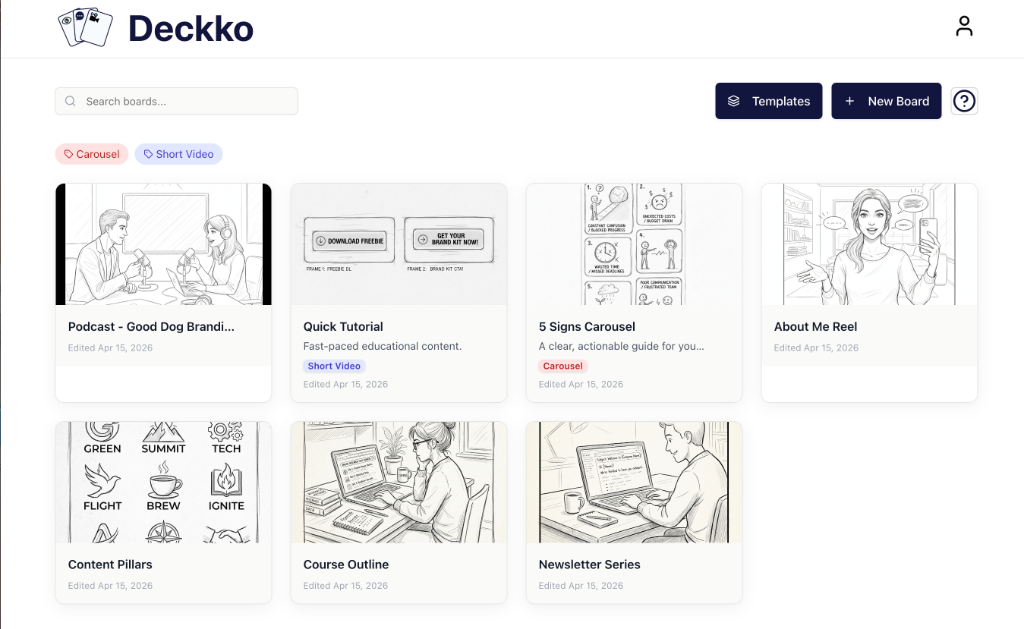
The thinking space between the idea and the work.
Deckko is a visual planning workspace where you break ideas into cards, arrange them into a structure, and see the full shape of your thinking — all before you start executing.
Think of it as a thinking space that sits between the idea in your head and the work you're about to make.
Plan a video or course
Stop outlining episodes in a wall of text. Lay each scene out as a card, see the whole flow, and move anything until it clicks — before you record a thing.
Organize a content series
No more topics scattered across docs and tabs. See your full calendar as one board, spot the gaps, and always know what comes next.
Untangle a complex idea
Got a launch stuck in your head? Pull it out as cards, shape it visually, and turn fuzzy half-formed thinking into a plan you can act on.
No credit card required
The Problem
Your brain wasn't built to hold a plan.
You have the idea. You know roughly what you want to make. But the second you try to plan it, everything scatters — across sticky notes, half-finished docs, voice memos, and browser tabs you swear you'll get back to.
Plans buried in docs
Linear format forces a structure before your thinking is ready.
Ideas everywhere
Things live in 6 different places. Nothing connects.
Rework every time
Move one thing and everything breaks. You re-format instead of think.
No full picture
You can't see the whole plan at once. It exists in pieces — and in your head.
No credit card required
The Transformation
What changes when your plan is visible.
This isn't about a new tool. It's about the difference between planning in your head and seeing it in front of you.
Everything is in one visual space
One board. Every idea. The whole structure visible at a glance.
The plan is concrete and moveable
Cards make your thinking tangible. Drag anything. Nothing breaks.
You see gaps before they become rework
Weak transitions, missing steps, and unclear priorities are obvious.
Changing direction takes 10 seconds
Move a card. The structure updates. Your content doesn't need to be rebuilt.
You start executing with confidence
You've seen the full plan. You know what you're building. You start fast.
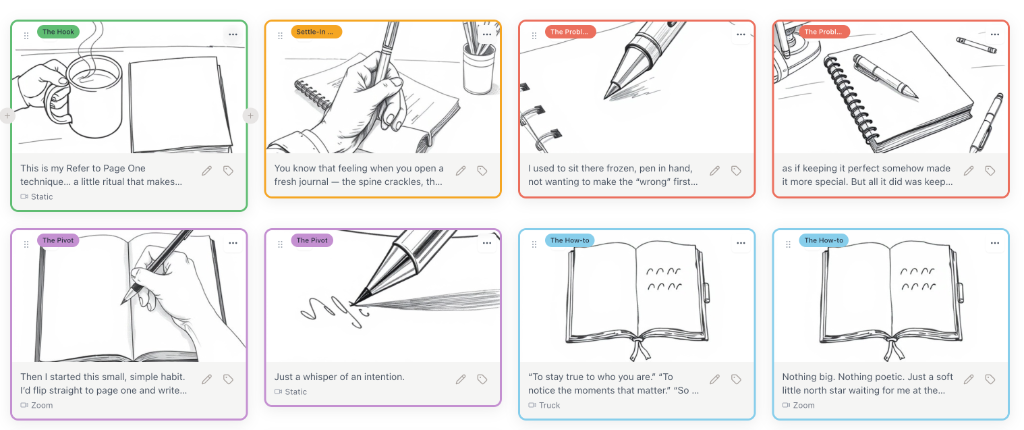
The moment you lay it all out on a board, you can finally see what's wrong with your plan — and fix it in minutes.
No credit card required
How it works
Four steps. Under five minutes to get started.
No complex setup. No learning curve. Just your ideas, made visible.
Capture ideas as cards
Drop cards for each idea, step, or scene. No formatting — just get it out of your head.
Arrange them visually
Drag cards around until the sequence feels right. Spot gaps and see the full shape at a glance.
Plan your way
Build from scratch or pick a built-in template. Use AI to generate visuals for any card.
Walk away with a plan
Export your visual plan, shot list, and more as a PDF — ready before you hit record.
No credit card required
See relationships before the work begins
When your entire plan is visible on one board, you stop guessing at what comes next. Gaps, redundancies, and wrong sequences become obvious — before you've wasted time building in the wrong direction.
- Every card visible at a glance
- Color-coded labels show status and priority instantly
- Spot structural problems before execution starts
Your boards at a glance — every project, its shape, and where it stands.
No credit card required
Each card holds the full picture — visuals, transcript, shot notes, and labels — without cluttering your board view.
Rework structure without starting over
Changing your mind shouldn't mean rebuilding from scratch. Drag any card to a new position and your plan updates in seconds — not hours. The content inside every card stays untouched.
- Drag-and-drop reordering in one move
- Add, remove, or duplicate any card instantly
- Change direction without losing what you built
What used to take an hour of reformatting takes 10 seconds.
No credit card required
Turn loose ideas into a shared plan — fast
Start from a blank board or pick a built-in framework for content series, courses, or launches. Templates give you a proven starting structure so you spend your energy on ideas — not setup.
- Built-in frameworks for content, courses & launches
- Start from scratch or a template — both fully flexible
- Share your board as a clear visual plan with anyone
Templates are a starting point, not a constraint — every card is yours to change.
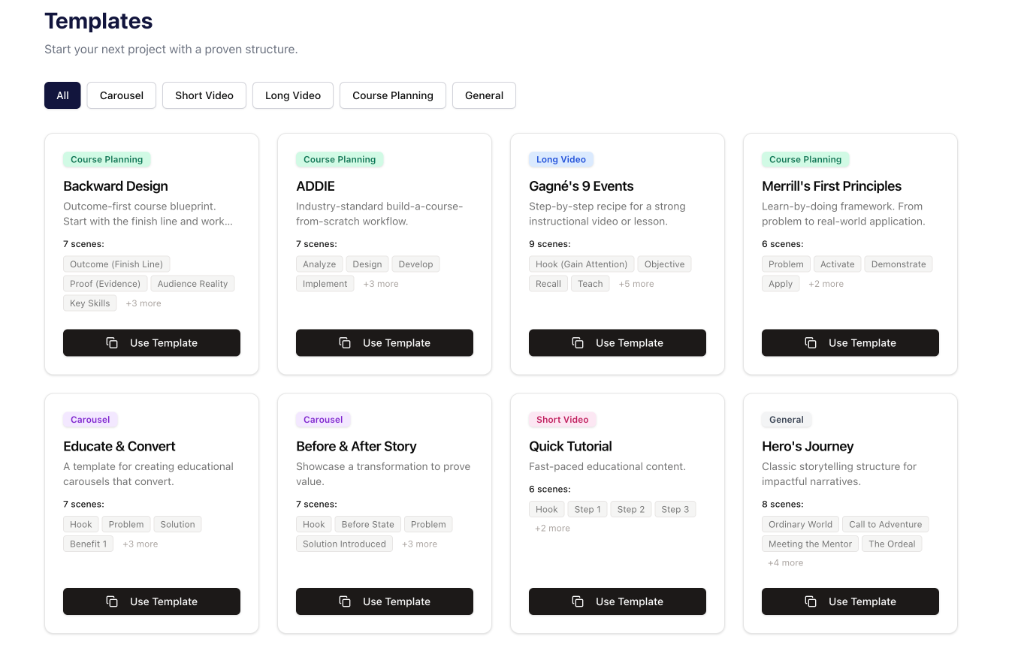
Pick a framework that fits your project type — then make it your own from the first card.
No credit card required
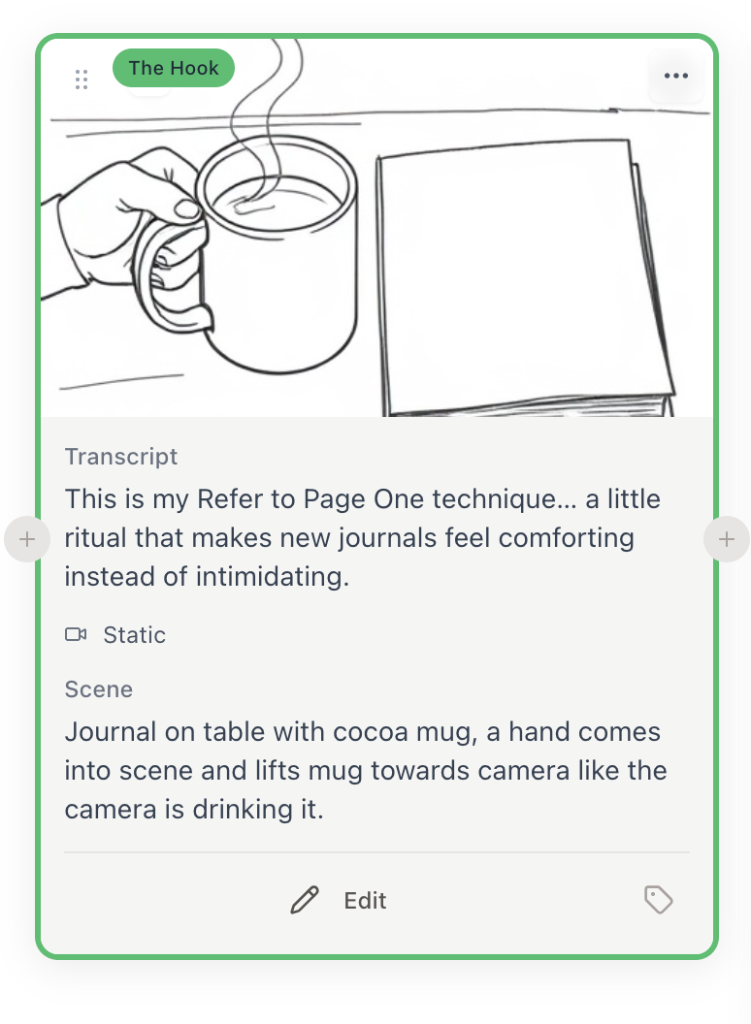
Describe what you're picturing — AI generates a visual for the card in seconds.
AI that fills the gaps — not your whole board
The thinking is still yours. AI handles the part that slows you down: turning a rough description into a visual you can actually react to. Write a few words about what you're picturing — AI generates a sketch for that card so you can see it, refine it, and keep planning.
Example
You're planning a video and write "Episode 3: The Hook" on a card — but can't visualize the opening shot. Type a one-line description. AI generates a sketch. You see whether it works, adjust the idea, and keep going. No tab switching, no outside tools.
- Generates a visual from a plain-text description
- Works on any card — scenes, slides, or concepts
- Keeps you in your planning flow — no context switching
AI accelerates your thinking. It doesn't replace it.
No credit card required
Why visual works
Your brain was built for the picture.
Visual planning isn't a style preference. It's how thinking gets unstuck — and Deckko puts the whole plan where your eyes already work best.
65%
of people are visual thinkers — they grasp structure faster when they can see it.
60,000×
faster the brain processes an image than text. Seeing the plan beats reading it.
80% / 20%
how much we remember of what we see vs what we read.
One board. Six fewer places to lose the idea.
"Less chaotic than a whiteboard. Less rigid than a document. Earlier than a task manager."
No credit card required
Who this is built for
You'll get the most from Deckko if you…
This isn't for everyone. It's built for people who need to see their thinking before they can act on it.
Content Planners
Map out series, campaigns, and ideas visually before writing a single word.
Founders & Strategists
Shape project roadmaps and systems without getting lost in linear docs.
Course Creators
Structure lessons, modules, and outcomes so the whole curriculum is visible at once.
Writers & Storytellers
Lay out story arcs, chapters, and plot beats as movable cards.
Video Creators
Plan scenes and shots visually so you know exactly what you're making before you record.
Creative Thinkers
Get ideas out of your head, give them a shape, and build from there.
Still on the fence?
Try it free for 14 days.
All data is private. If it doesn't click in 14 days, it probably isn't for you — and that's fine.
No credit card required
The cost of waiting
Every project stays fuzzier until it's visible.
The longer you plan in scattered docs, the more rework you create. Clarity earlier means execution faster. The sooner your ideas have a shape, the sooner you can move.
No credit card required
Why Deckko
You probably already have a doc, a board, and a whiteboard.
None of them were designed for this — turning messy, early-stage thinking into a clear, structured plan you can actually act on.

Notion / Docs
Great for writing. Bad for thinking.
Linear text can't show how ideas relate. You end up with a long doc that's hard to restructure and even harder to share as a visual plan.
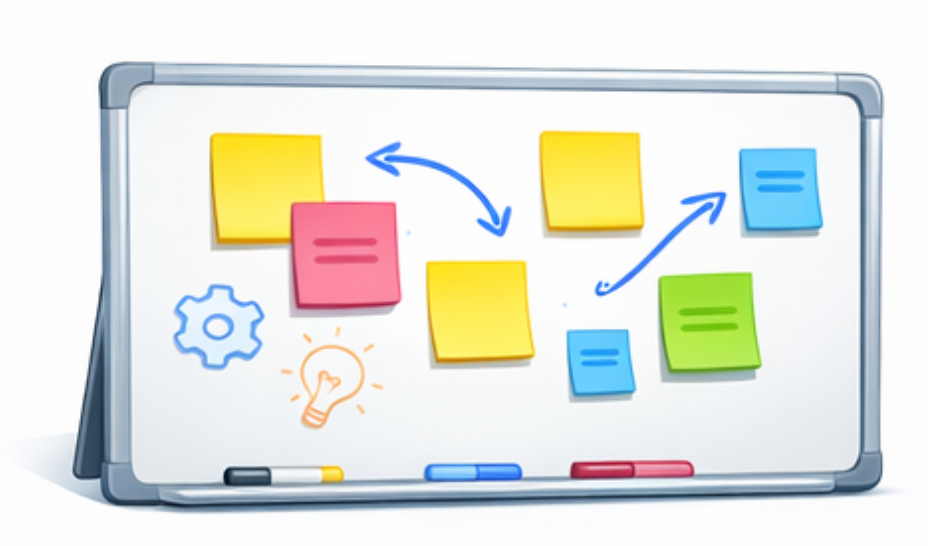
Miro / Whiteboards
Infinite space, infinite chaos.
Whiteboards are great for brainstorming. But they don't impose structure — which means nothing ever becomes a plan you can execute from.
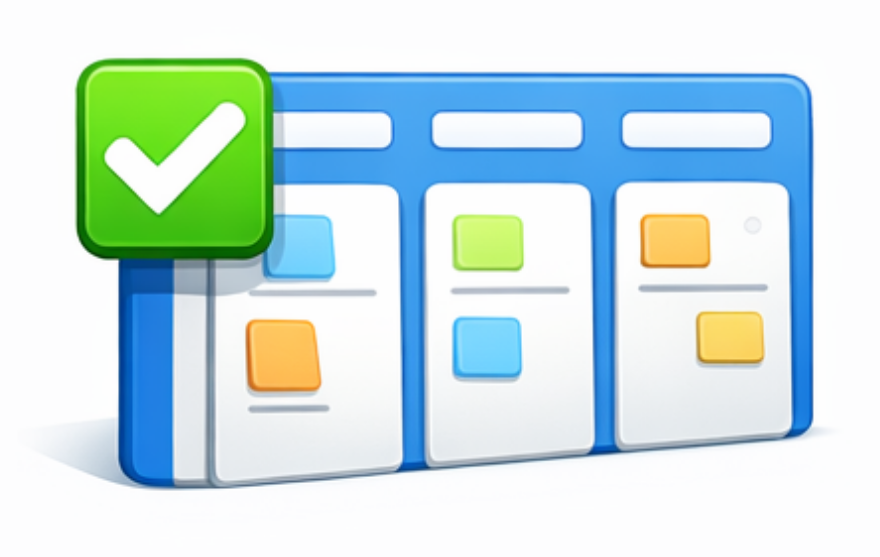
Trello / Task boards
Built for execution, not ideation.
Task boards work great when you already know what to build. They're not designed for the earlier question: what should we build, and in what order?

Spreadsheets
You can't see the whole picture.
Rows and columns don't reveal story arc, content flow, or logical gaps. You're managing data, not visualizing a plan.
Deckko lives in the gap between brainstorm and execution.
It's where you go after your first idea — to structure it, see it, and make it real. Not a replacement for your other tools. The missing step before them.
No credit card required
Pricing
One plan. Everything included.
No tiers. No feature gates. No surprises.
after your free trial ends
For people who are serious about getting their ideas out of their head — and into something they can actually execute from.
- Unlimited boards — Plan every project — no cap on how much you create.
- Drag-and-drop card reordering — Restructure in seconds, not hours.
- AI sketch generation — Visualize any idea without leaving your board.
- Built-in templates — For content, courses, launches, and more.
- Labels, tags & organization — Keep every board clean and navigable.
- PDF export — Share your plan with anyone, in any format.
Got access through a course?
No risk to try
- Free 14-day trial — no credit card
- Cancel anytime with a single click
- Full access to everything during trial
Fast to get started
- All your data is private and secure
- Pre-made templates to jump right in
- Intuitive drag-and-drop interface
No credit card required
FAQ
Before you dive in
Answers to questions that might be on your mind.
No credit card required
Your ideas deserve
to be structured.
No credit card required